LifeOS
Your days slip by.
Take charge.
LifeOS connects your tasks, your days, your habits and your goals so you know what to do today, and why.
For freelancers, independents and creators who set their own priorities.
No card required. The free plan stays free.
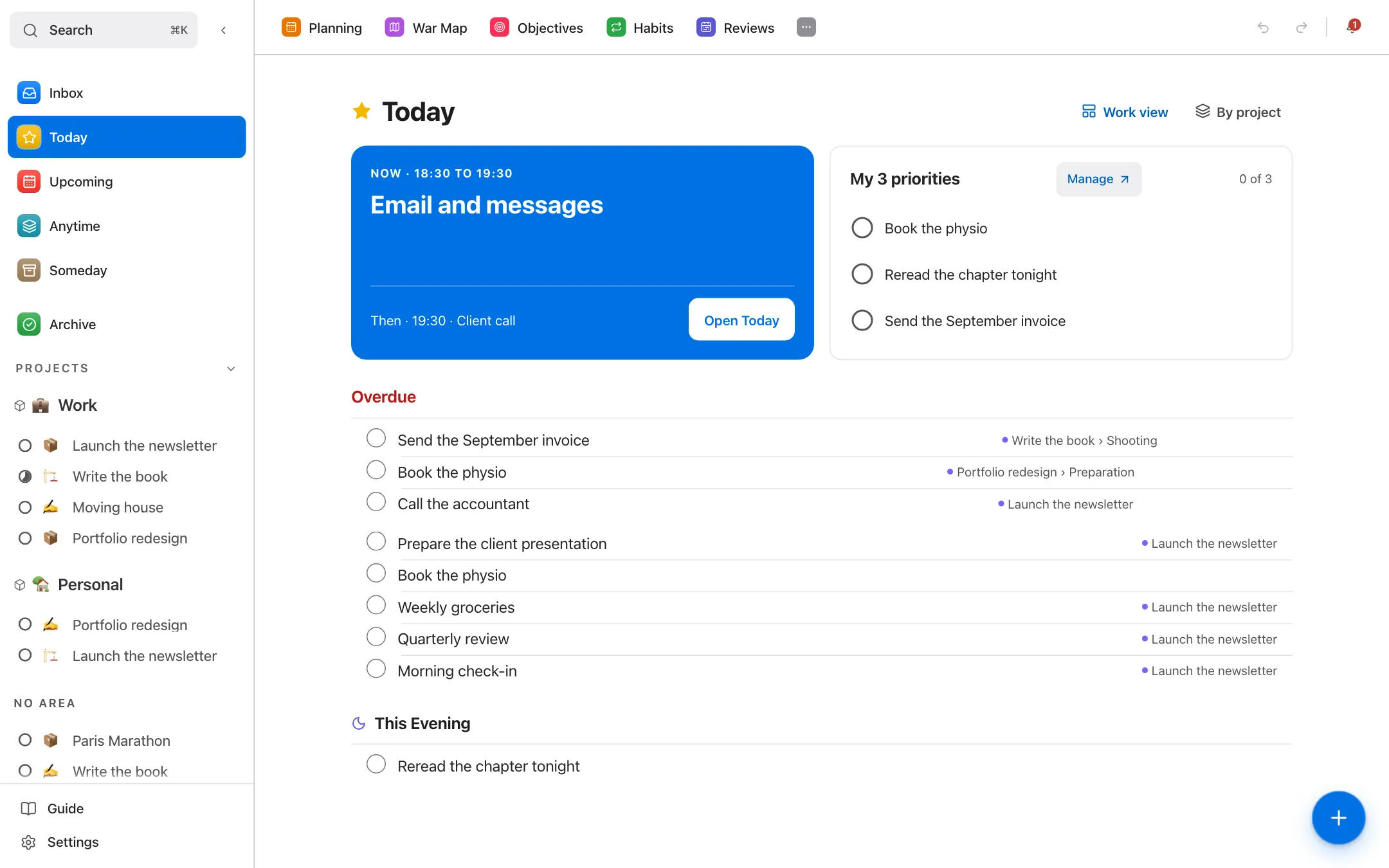
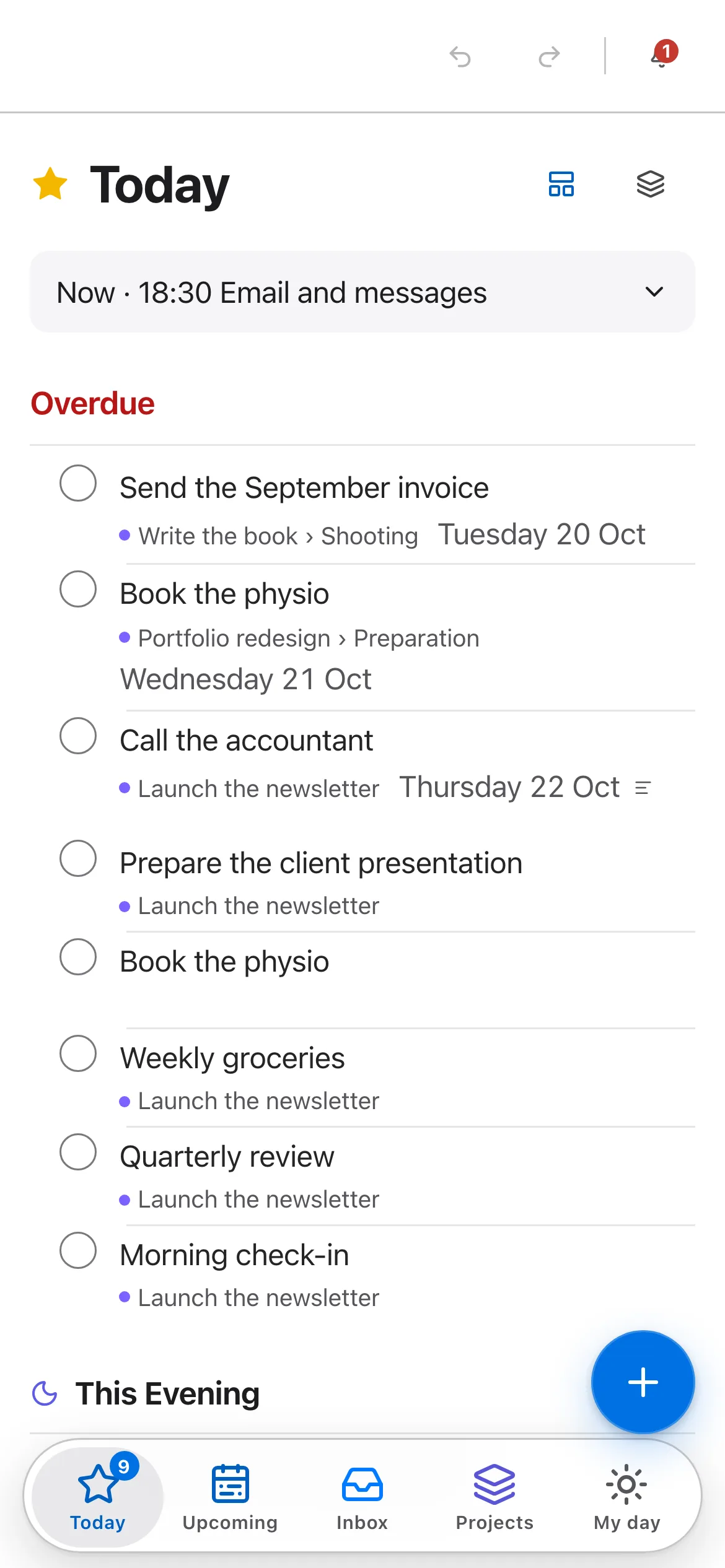
Today: what you’re doing now, your three priorities, then the rest of the day.
From an idea to a result. Three moves, with the real screens.
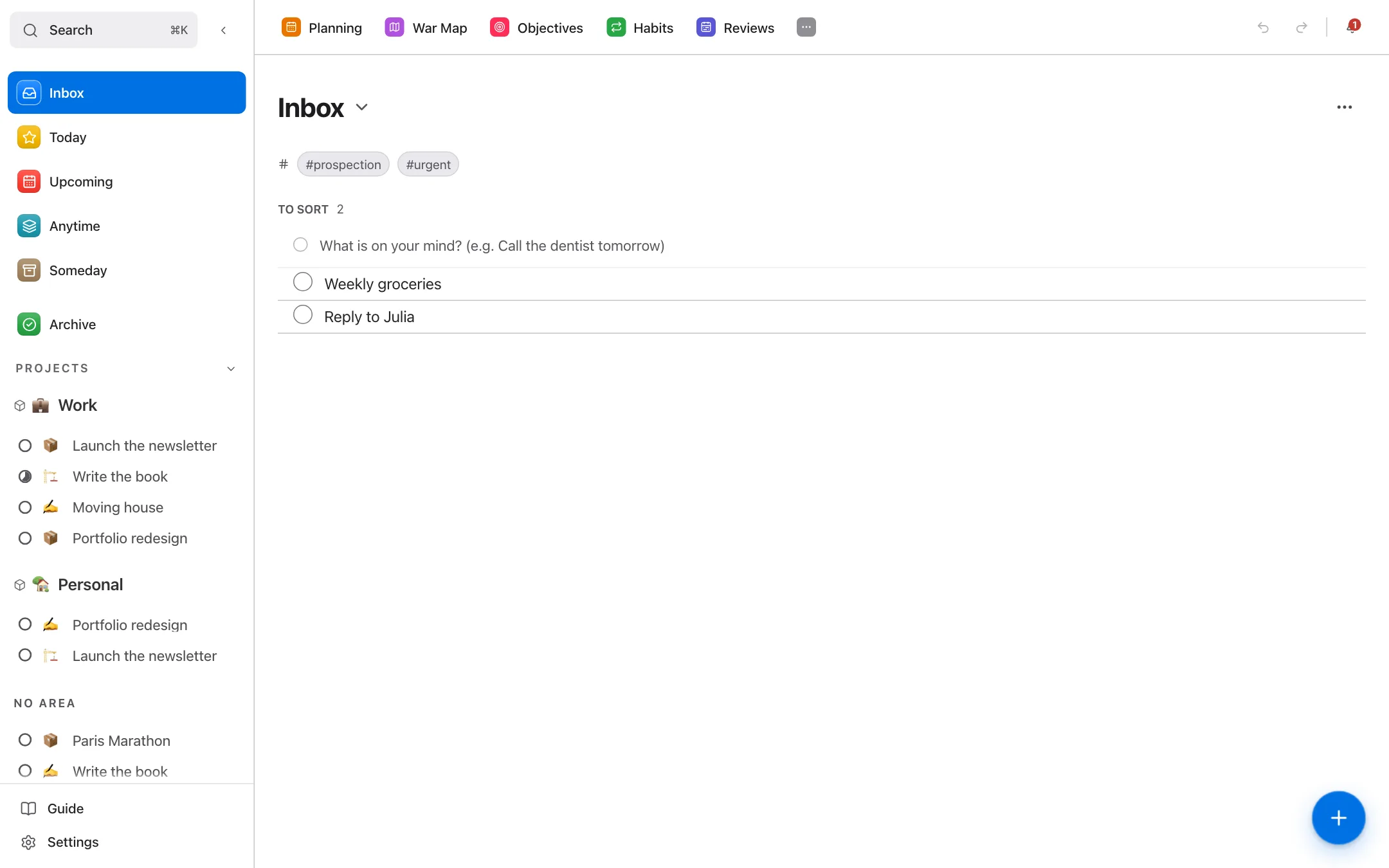
1 / 3
You jot the idea down
One key, one sentence: it waits in your inbox without interrupting anything.
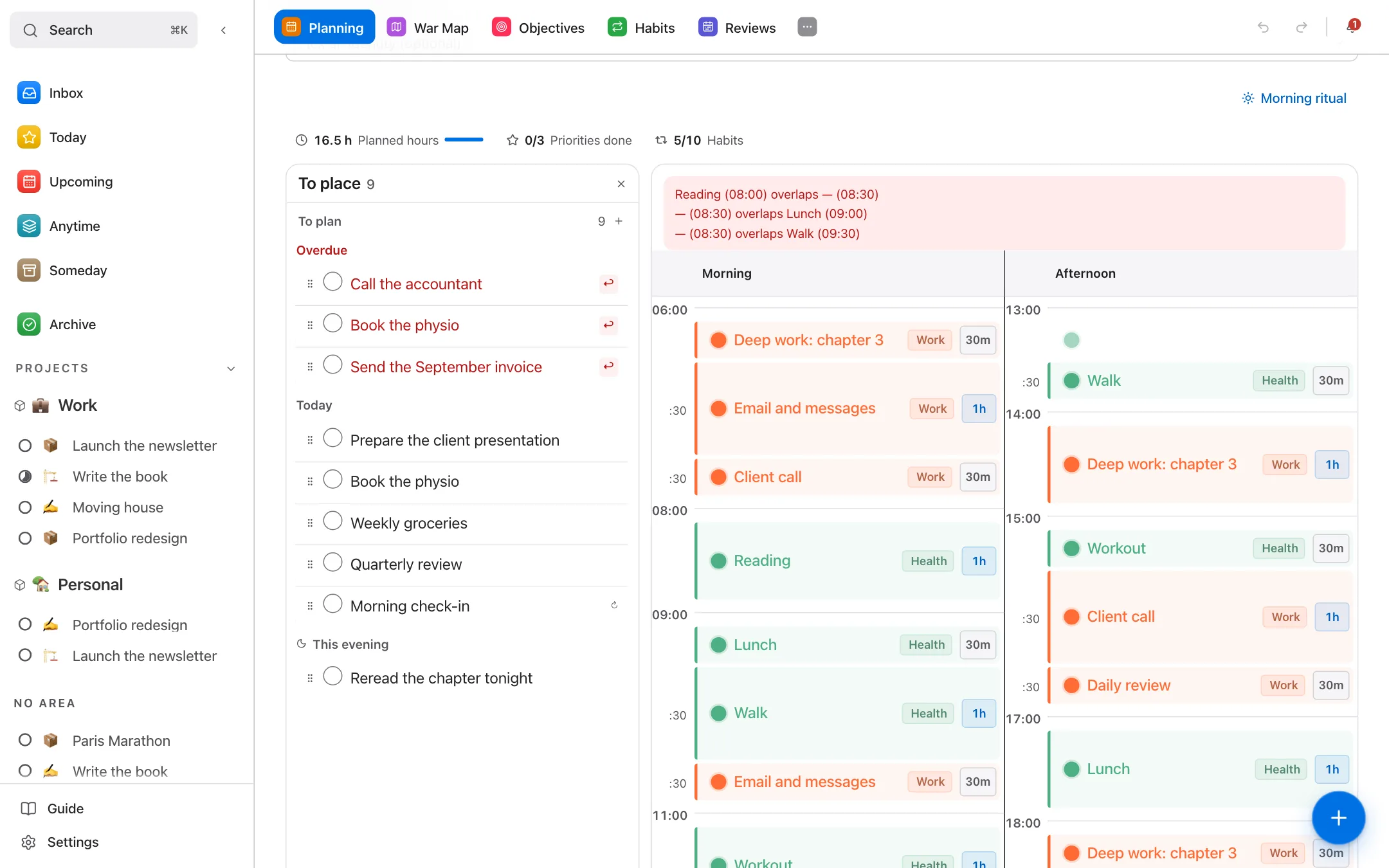
2 / 3
It becomes a planned action
You file it in a project and give it a slot in your day.
3 / 3
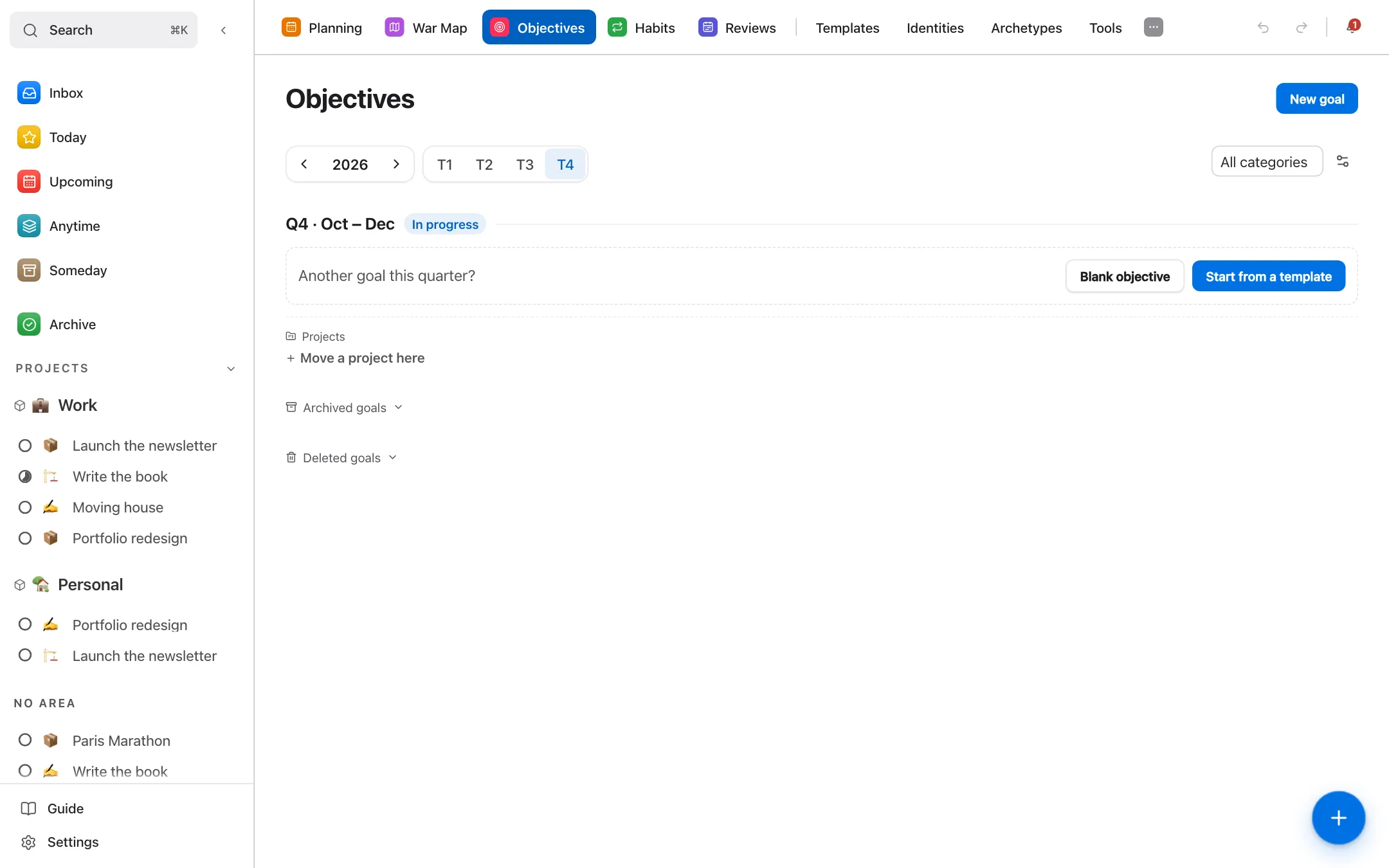
Done, it counts
Checked off, it moves the goal it serves forward. You see what really progresses.
Always busy. Going where? Your days are full. Your direction, less so.
LifeOS is for you if…
You have too many lists and not enough direction.
Your tasks, projects and goals live in one place, connected to each other.
You work alone and have to decide your own priorities.
You plan your day once, and the next action stays in front of you, with the goal it serves.
You want to see whether your days actually match your goals.
A review every evening, another every week: facts, not a feeling.
LifeOS is built for one person. If you need a tool to hand out tasks across a team, this isn’t it.
Not another to-do list.
A list shows what’s left to do. LifeOS shows whether your days are moving in the direction you chose.
1. Choose a direction
Know where you’re going.
Declare who you want to become, set your goals for the year and break them into quarters.
2. Plan your days
Know what to do now.
Your day split into time slots, each task linked to a project and a goal.
3. Measure your proof
See what really moves.
Every finished action leaves a trace: habits, streaks, daily score and identity score.
4. Adjust your course
Correct before you drift.
A guided review every week, and a Life Compass that shows the areas you neglect.
The Identity Engine, in practice. Three steps, and numbers you can check.
Declare who you want to be.
One sentence in the present tense, describing a person, not a result.
Link your actions to that identity.
A task or habit linked to the identity counts for it when you finish it.
Watch the proof add up.
Each finished action is a vote. The score reads over 7, 30 and 90 days: one hard week doesn’t erase three months.
Example
« I am someone who creates every day. »
+1 proof for this identity
An identity isn’t a grade on your worth.
It’s a way of looking at the actions you already repeat. The score is an indicator, a trace, a way to step back. A quieter week lowers it over seven days; it erases nothing you’ve done.
Ready in 3 minutes. Three steps to begin, one in the evening. The rest fills in over the weeks.
Declare a first identity.
In the present tense: “I am someone who…”. One is enough to start.
Pick a priority.
One task that really matters today.
Plan your first day.
Give it a slot in the Planner. The rest of the day can wait.
Come back in the evening.
Close your day and see what moved.
No card required. The free plan stays free.
Every feature, sorted by what it’s for. You don’t need to use everything to start.
Choose a direction
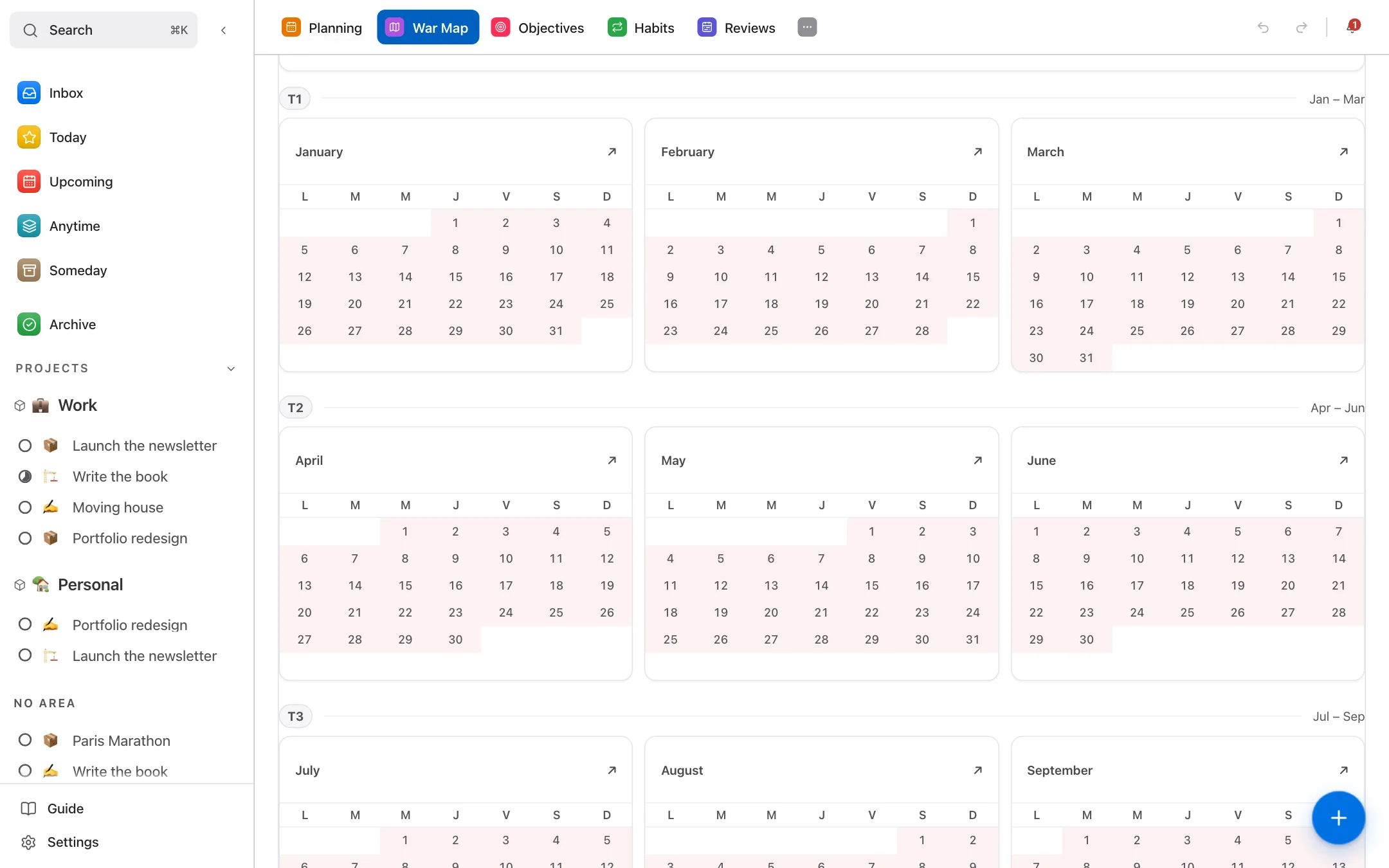
War Map
- The problem
- Your January goals are forgotten by March.
- How
- The year, quarters and months on one map, linked to your days.
- Result
- You see what moves and what stalls.
Goals
- The problem
- A vague goal can’t be measured.
- How
- Each quarterly goal carries measurable key results and its projects.
- Result
- You know where you stand, as a percentage.
Starter profiles
- The problem
- An empty app is discouraging before day one.
- How
- 118 profiles across 14 areas set up counters and habits for you.
- Result
- You start from a base that fits you.
Plan your days
Planner
- The problem
- You start the day not knowing where to begin.
- How
- You place your tasks in time slots, with a focus timer.
- Result
- You know what to do now, and where each hour goes.
Universal capture
- The problem
- An idea comes up, and it’s lost.
- How
- You jot it down in two seconds, without filing it; you sort later.
- Result
- Nothing slips away, and your head stays clear.
Measure your proof
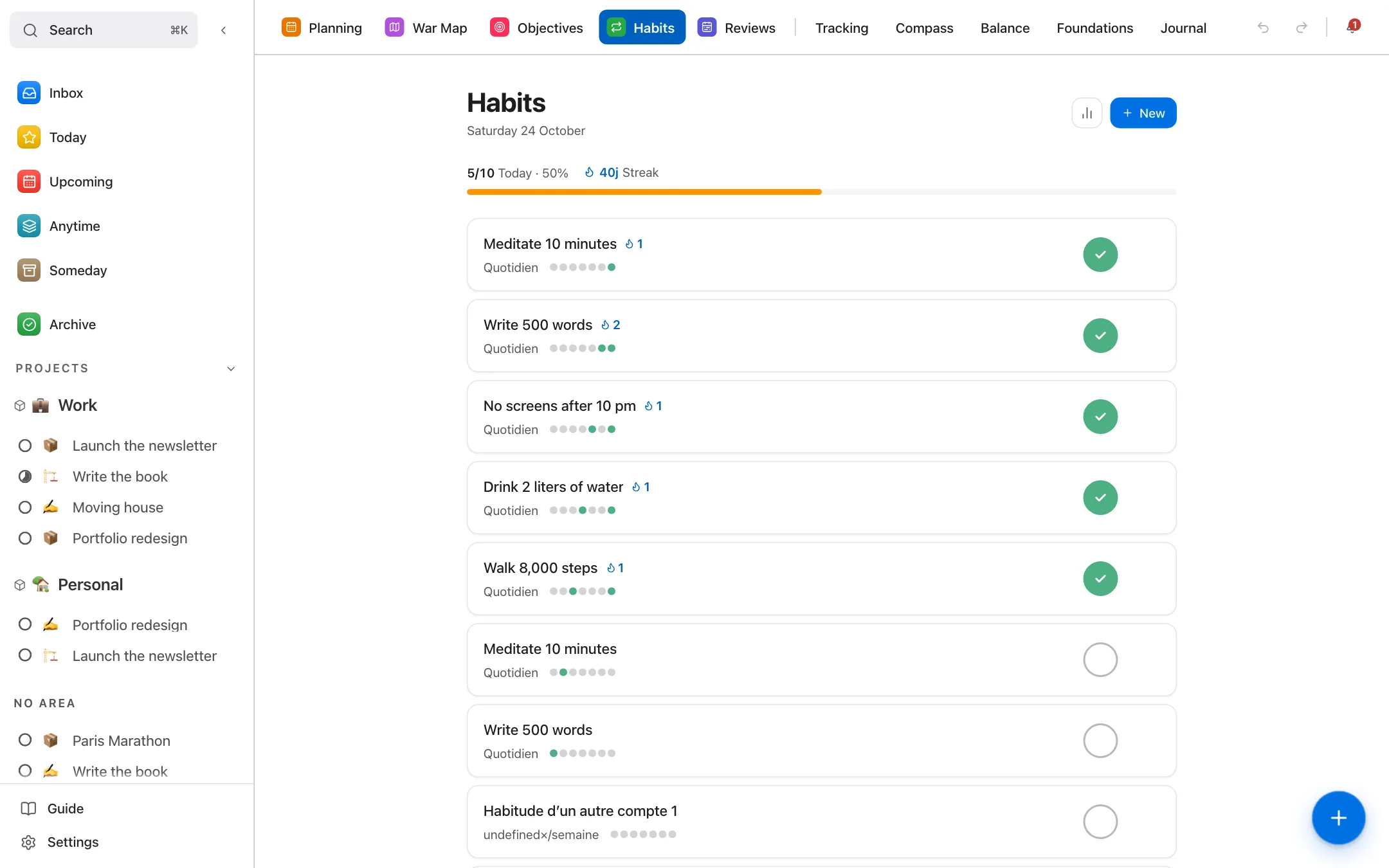
Identity Engine
- The problem
- You do a lot without knowing if it reflects who you want to be.
- How
- Actions linked to an identity count as proof, with a score over 7, 30 and 90 days.
- Result
- You see whether your days match the person you described.
Habits
- The problem
- You don’t know if a habit really sticks.
- How
- You tick them from the dashboard; streaks and completion rates calculate themselves.
- Result
- You see what lasts, week after week.
Adjust your course
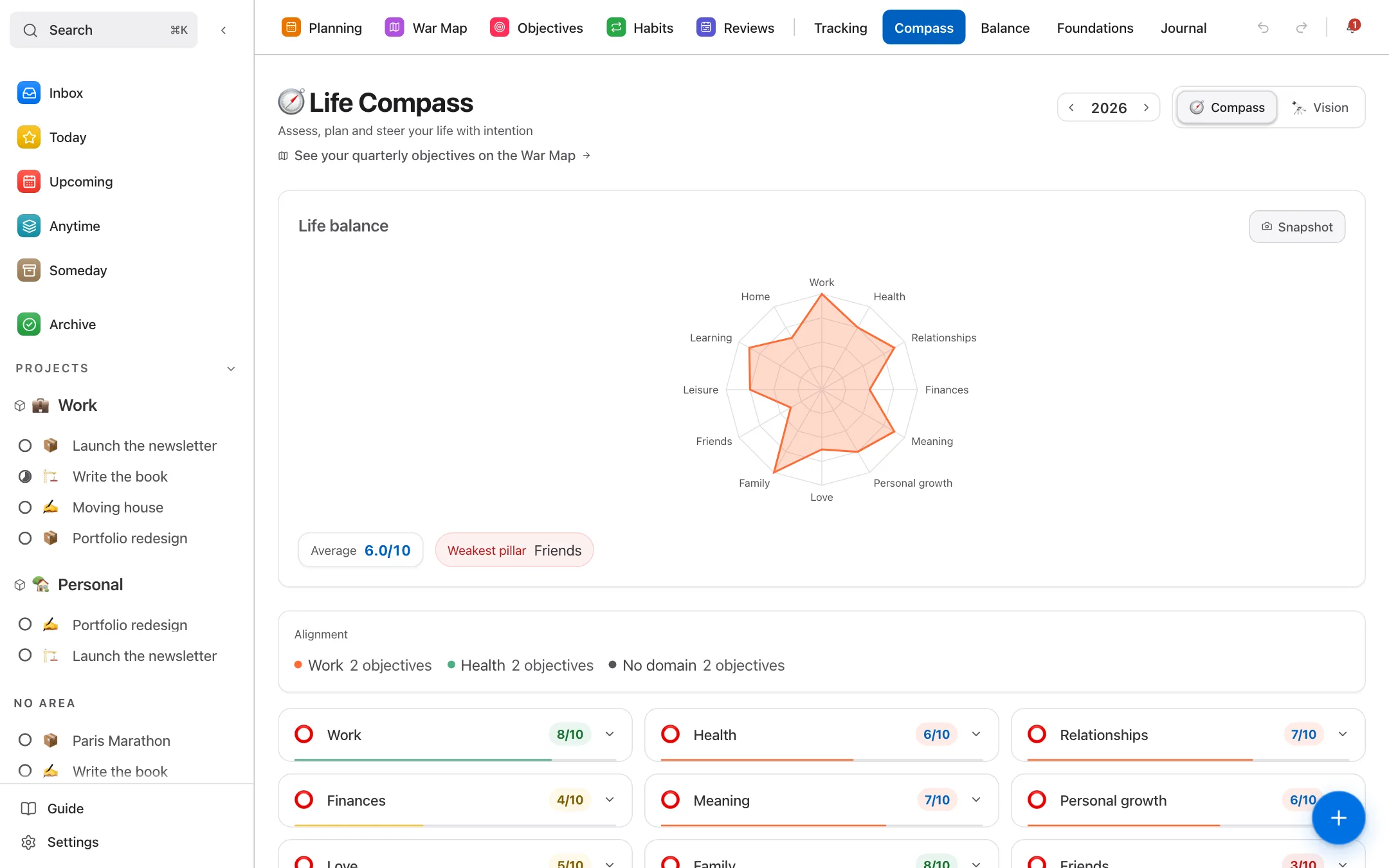
Life Compass
- The problem
- An area of your life slips without you noticing.
- How
- You rate each area on a radar, and the history keeps your readings.
- Result
- The neglected area shows up at a glance.
Life Tools
- The problem
- You’re stuck on a decision or a situation.
- How
- You describe what’s stuck, LifeOS suggests a guided reflection exercise.
- Result
- You leave with a written trace of what you took from it.
Everywhere, and yours
Offline
- The problem
- No network, no tool.
- How
- Tasks, habits, goals, projects and Planner stay usable; what you write syncs when you’re back.
- Result
- You keep going on the train as at your desk.
Native app
- The problem
- A browser tab gets lost among twenty others.
- How
- An app for macOS, Windows and Linux, or installed from your browser on computer and phone.
- Result
- LifeOS opens like real software, in one click.
Export
- The problem
- Trusting a tool with years of notes is scary.
- How
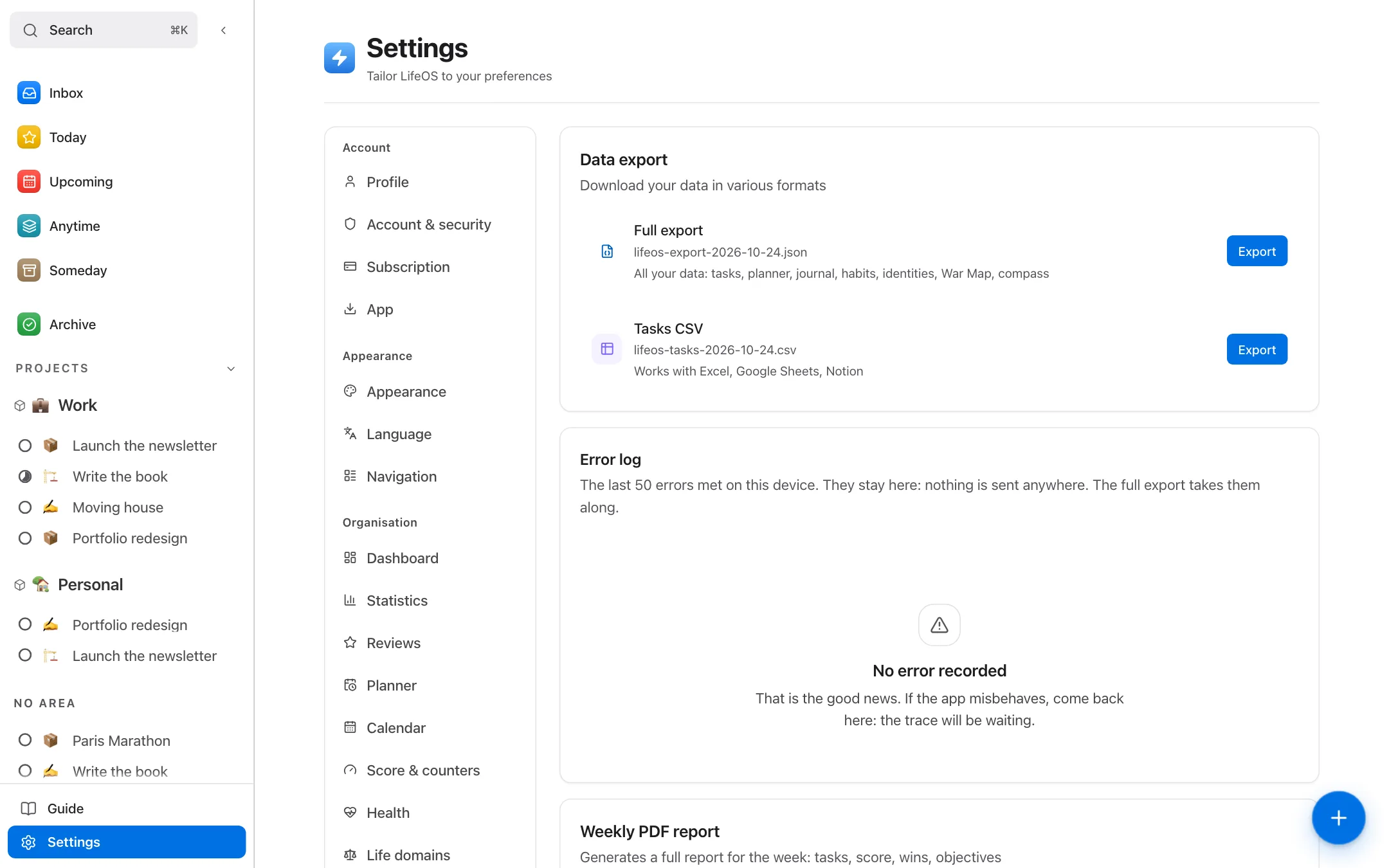
- A button in Settings exports all your content to one file.
- Result
- Your data stays yours, and you can leave whenever you want.
Four ways to use it. Depending on what sounds most like you today.
You work alone.
Self-employed, freelance, creator: nobody sets your course. LifeOS has you write it down, then shows you every week whether your days match it. The War Map holds your projects across the quarter, the Planner cuts your day into slots, and the weekly review ties the two together.
You scatter.
Ideas everywhere, lists in four apps, and nothing moving. Capture takes anything in two seconds, with nothing to file. Sort later: task, project or “someday”. What matters lands in a planned day, the rest waits without getting in the way.
You have tried to change before.
Habits kept for three weeks, resolutions forgotten by March. Here you do not tick off “run”: you pile up proof that you are someone who takes care of their body. The score says where you stand. No judgement.
You want to see your whole life.
Not just work. The Life Compass puts health, relationships, money and meaning on one radar, and shows the life domain you have been neglecting for two months. How your time splits across domains comes from the slots you actually lived, not from your intentions.
Your data stays yours.
Export in one step.
One button, one file, all of your content. No asking, no waiting.
Leaving is built in.
Permanent deletion of your account and your data, in one step, from settings.
Hosted in Europe.
Your data is stored in Ireland. The database rules stop any other account from reading it.
Your tasks, even offline.
On a train, on a plane: tick off tasks and habits, fill in your Planner. It queues up and syncs when you’re back online.
No credit card.
The free plan has no time limit and asks for no payment method.
Cancel, withdraw.
Pro cancels in one click, effective at the end of the period. Fourteen days to withdraw, unless you choose at checkout to start right away.
An independent product.
LifeOS is built by one person. There are no testimonials to show you yet, and rather than invent any, here is what you can check for yourself.
Simple. No surprises. Start free. Go Pro whenever you like.
To try LifeOS with no risk.
- Unlimited daily planner
- Yearly and monthly War Map
- Dashboard, stats, Life Compass and export
- 3 life domains
- 3 active identities
- 3 objectives per quarter
- 9 starter profiles out of 118
To use LifeOS without limits.
- Everything in Free
- Unlimited life domains
- Unlimited identities
- Unlimited objectives
To support the product and keep access for life.
- All of Pro, for life
- Every feature to come
Yearly: €79, that’s €6.59 a month. You save 27%.
What Pro changes
- Life areas
- Free 3Pro Unlimited
- Active identities
- Free 3Pro Unlimited
- Goals per quarter
- Free 3Pro Unlimited
- Starter profiles
- Free 9Pro 118
Fourteen days to change your mind, unless you choose at checkout to start right away. Pro cancels in one click and your data stays exportable. If LifeOS ever shuts down, you get thirty days’ notice, the full export stays open for the whole period, and running subscriptions are refunded pro rata.
Terms of saleQuestions, answered. What people ask me before they start.
What is LifeOS, exactly?
An app to get organised and step back from your life. Your tasks, your day, your habits and your goals for the year in one place, connected instead of scattered across four tools. You see where your time goes, and every action counts towards an identity you have declared.
How is it different from Notion, Todoist or a simple to-do list?
Todoist and a list tell you what’s left to do. Notion gives you a blank page to organise yourself. LifeOS comes already connected: your tasks go into your day, your day serves your goals, and every finished action counts for an identity you declared. You’re no longer just looking at an emptied list: you see whether your days are moving in the direction you chose.
Is it really free?
Yes. The free plan has no time limit and asks for no credit card: Planner, War Map, dashboard, stats, Life Compass and export, with a limited number of life areas, active identities and goals per quarter. Pro lifts those limits, and the plans are detailed in the Pricing section.
Can I stop whenever I want?
Yes. Pro cancels in one click from Settings, no questions asked: access stays open until the end of the paid period and nothing is charged afterwards. Your data isn’t deleted. You also have fourteen days to withdraw, unless you choose at checkout to start right away.
Can I export my data?
Yes, all of it, from Settings then Data, in one file and without asking anyone. It’s hosted in Europe, in Ireland, and a row-level security rule stops any other account from reading it; on the server side, only the service’s own processes reach it (reminders, payments, support). You can also delete your account, which erases everything.
Does the app work offline?
Yes, for the most part. With no connection, your tasks, habits, objectives, projects and Planner stay usable: what you write is queued and syncs on the way back. Elsewhere, what you write is kept the same way and pages you have already opened stay readable; a page you have never opened needs a connection.
What happens if I don’t use LifeOS for two weeks?
Nothing breaks, and no guilt-tripping reminders. Your habit streaks record the break (that is their job: they measure regularity), but your identities, your objectives and your history stay intact. You pick up where you left off.
Can I use LifeOS on computer and mobile?
Yes, with one synced account: in the browser, as an app for macOS, Windows and Linux, and on your phone by installing it from the browser. There is no App Store or Google Play app yet.
How long does it take to get started?
A few minutes to declare a first identity and plan one day. The rest (War Map, quarterly objectives, Life Compass) fills in over the weeks. Nothing forces you to set everything up before you begin.
Start today.
Free. No card. Online in 30 seconds.
Start for free